 md2pdf
Notion → Markdown → PDF
Turn a Notion page into a PDF that reads like a document
Export the page from Notion as Markdown, drop it into md2pdf, and get real A4 pages with a table of contents, headers, page numbers — and tables that are not clipped halfway down.
Free to write and preview, and nothing is uploaded: typesetting runs in your browser. Exporting the PDF is a one-time Pro unlock.
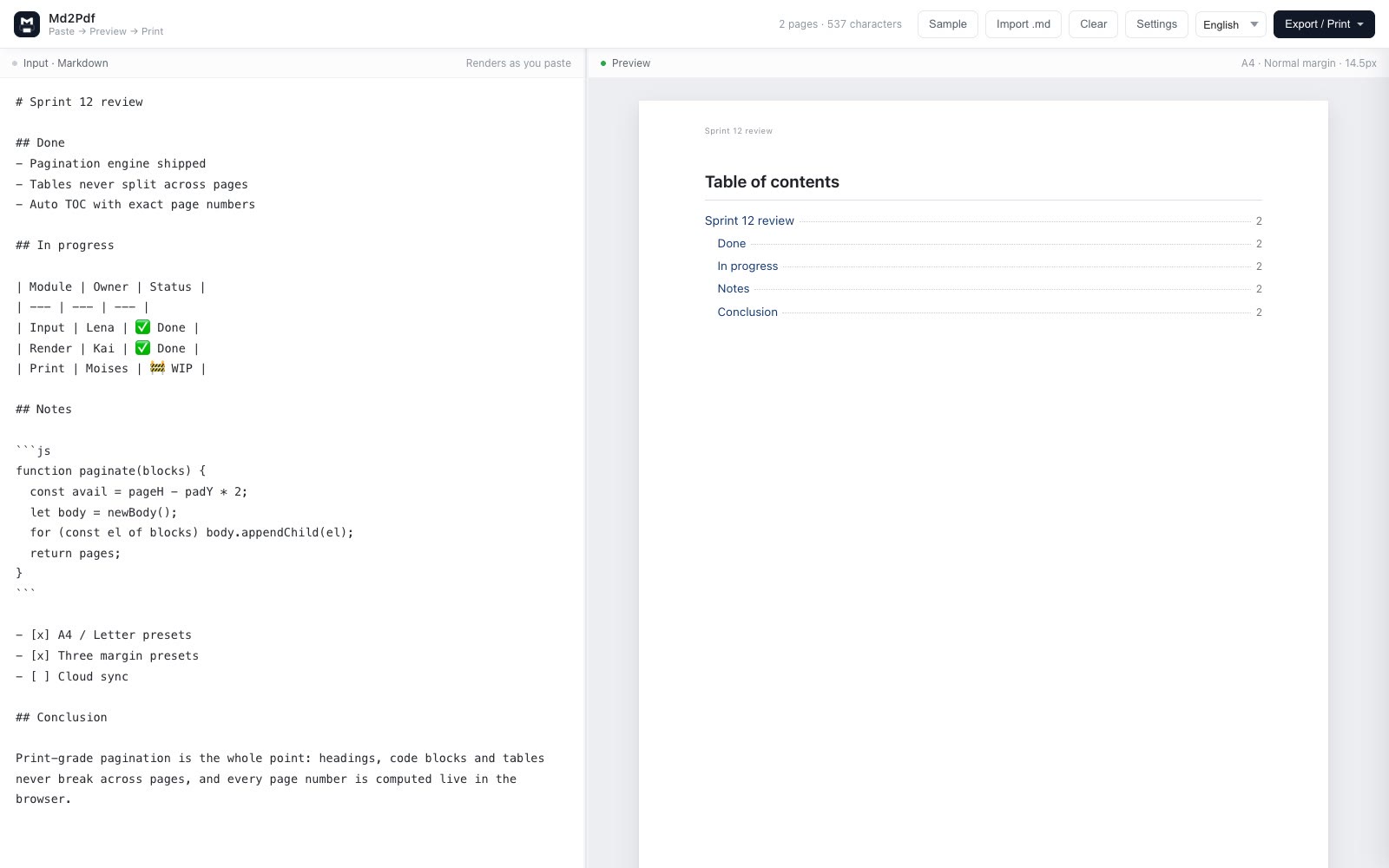
Four clicks in Notion, two here
No integration to authorize, no API token, no third-party service reading your workspace.
- In Notion: Export Open the page menu (⋯ in the top right) → Export → Export format: Markdown & CSV. Leave databases on Markdown.
-
Unzip the download
Notion returns a .zip. Extract it; each top-level page becomes its own
.mdfile. - Drop the .md into md2pdf Drag it onto the editor or paste its content. Combine several files first if you want one PDF.
- Export PDF One click downloads the file, or print to PDF for selectable vector text.
What changes compared with Notion’s own export
Page numbers
Headers and “4 / 17” footers on every page — the minimum a circulated or archived document needs.
A working table of contents
Headings up to H3 auto-collect into a TOC whose page numbers are counted before printing, so they are correct.
Tables that survive
Wide database tables are measured against the page: they wrap and move whole to the next page instead of being cut.
A print measure that reads
A4 or Letter with normal, narrow or wide margins. No full-width web line lengths on paper.
Chinese-friendly presets
Official document, academic paper and resume presets change type size, indent and line height to Chinese conventions.
Privacy by default
No workspace authorization and no upload: the exporter never asks for your Notion account.
If you export several pages
Notion writes one Markdown file per page. Put them together in reading order with a blank line between each, and the page breaks plus TOC will follow your outline rather than Notion’s file order.
# Product handbook

# Chapter 1 — Onboarding

## 1.1 First week
Export your Notion page now
Free to write and preview. Exporting is a one-time $19.90 Pro unlock that covers every export path.
FAQ
How do I convert a Notion page to PDF?
In Notion open ⋯ → Export and choose Markdown & CSV. Unzip, drag the .md into md2pdf, then export the PDF.
Why not just use Notion’s built-in PDF export?
It prints the web layout: no page numbers, no TOC, wide measure, clipped tables. Re-typesetting the Markdown gives you a real page document.
Do callouts, toggles and databases survive?
Notion maps callouts to blockquotes, toggles to nested lists and databases to Markdown tables. Whatever Notion cannot express in Markdown is dropped by Notion itself, before md2pdf opens the file.
Can I export a whole workspace section as one PDF?
Export the parent page in Notion, then concatenate the generated .md files in your own reading order before importing.
Is anything uploaded?
No. Everything is typeset locally in the browser.