 md2pdf
Markdown resume → PDF
A résumé that lives in Git and prints like a document
Keep your CV as plain text, diff it, branch it per job — and still hand recruiters a tidy PDF. One click switches to the resume preset: centered name, underlined sections, tight bullets.
No sign-up. Typesetting runs in your browser, so the CV never leaves your machine.
Why keep a CV in Markdown
Versionable
Diff against last year’s copy, keep one branch per role, roll back a bad bullet.
No layout drift
No nudging a text box because a phone number got one character longer.
ATS-friendly text
Print to PDF keeps selectable, searchable text — the direct download renders page images instead.
One source, many exports
The same file also exports back to Markdown or goes into any pipeline you already use.
The structure
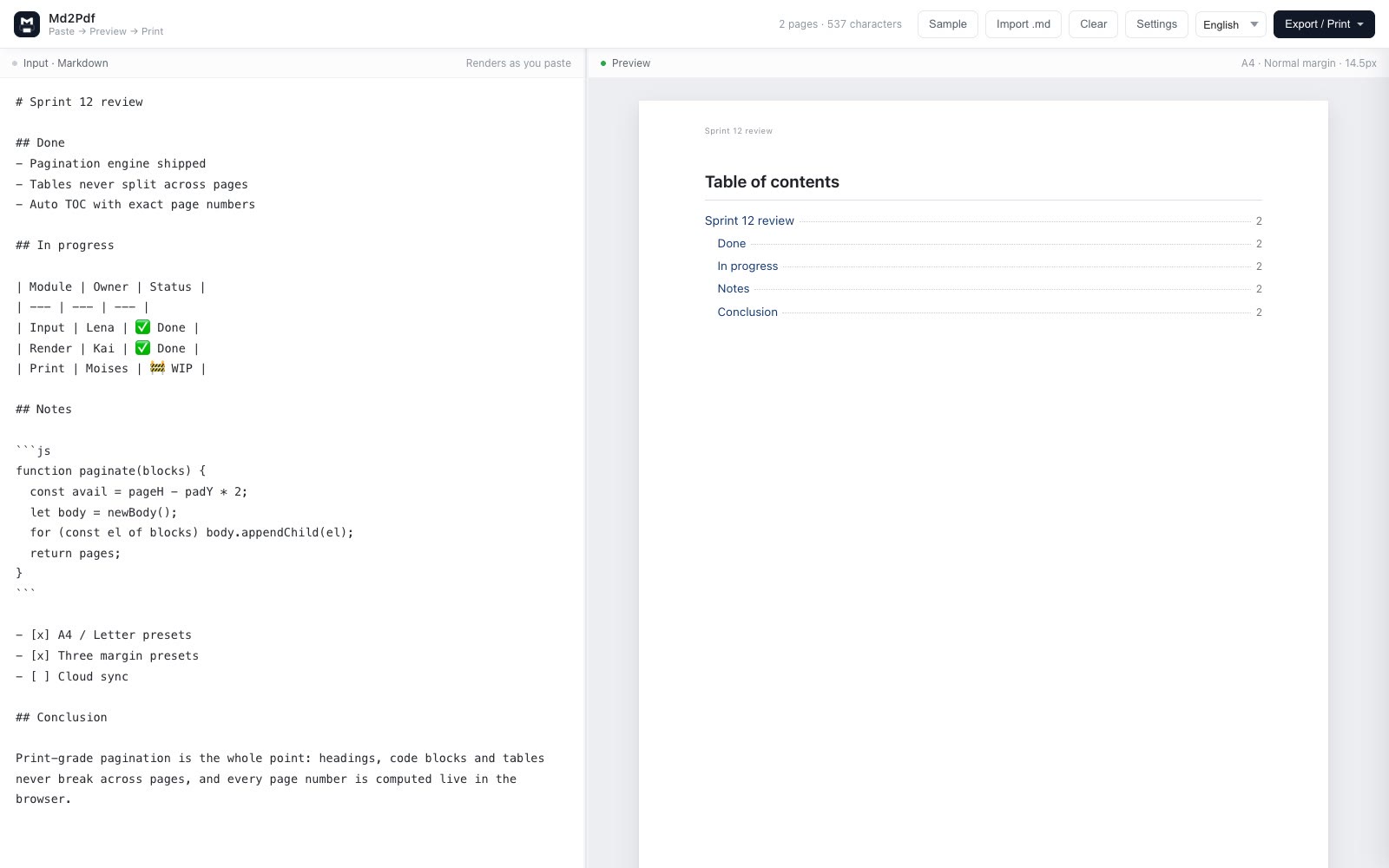
Copy this into the editor, or load it with the Resume template and overwrite the placeholders.
# Jane Doe

jane@example.com · +86 138-0000-0000 · Shanghai · github.com/jane

## Experience

### Acme Inc. · Senior Frontend Engineer
2021.06 — present · Shanghai

- Owned the editor front end; rewrote renderer and pagination, first paint down 42%
- Set up the component library and CI pipeline; delivery cycle 5 days → 2.5 days

## Skills

- **Languages:** TypeScript, JavaScript, Go
The preset handles the rest: the H1 becomes a centered name, its next line becomes a muted contact line, H2s become underlined section headings, and content after an H3 becomes the muted date line.
Keeping it to one or two pages
- Start with the templateLoad Resume from the Template menu — the sample CV is already in the editor.
- Watch the page counterPage count updates live; use narrow margins and the small type size if it spills.
- ExportPrint to PDF for a vector file recruiters can select text from — part of the Pro entitlement.
Rewrite your CV on paper, not in a layout tool
Free to write and preview. Exporting — PDF file, vector print or source — is a one-time $19.90 Pro unlock.
FAQ
Can I write a resume in Markdown?
Yes. Markdown keeps the CV in plain text, so it versions cleanly in Git. md2pdf’s resume preset takes care of the typography.
Where do I get the template?
Open the editor and choose Resume from the Template menu: a complete sample CV loads immediately, ready to overwrite.
Is the text selectable in the exported PDF?
Yes if you print to PDF — that saves a vector file with selectable text. The one-click export produces identical-looking pages as images, without a text layer.
Can Chinese and English mix?
Yes. The official-document and academic-paper presets apply Chinese conventions; the default General preset suits English and mixed content.
Is it free?
Typesetting and preview are free, so you can check the layout before paying. Pro is a one-time $19.90 that unlocks every export path and removes the footer mark.